Resume and cover letter builder for tailored applications
Build, edit, review, and save resumes and cover letters in one structured workspace. Use role context and editable suggestions without surrendering control of your claims.
Last updated:
A resume builder should help you make deliberate decisions, not merely place text inside a polished template. Lyrra brings resumes, cover letters, structured editing, role context, review, and saved drafts into one workspace. You remain responsible for every claim and choose which suggestions belong in the final document.
Build resumes and cover letters in one workspace
Start a new document or return to a saved draft without rebuilding its structure. Resume and cover-letter templates use appropriate content blocks, while projects, skills, certifications, languages, publications, and other supported sections can be added where they strengthen the application.
Edit the structure while watching the document
The builder separates structured fields from the rendered page, giving you a live view of how content and layout work together. Desktop and mobile provide interfaces suited to their screen size. A clear preview helps expose crowded sections, uneven hierarchy, and content that looks longer on the page than it did in a form.
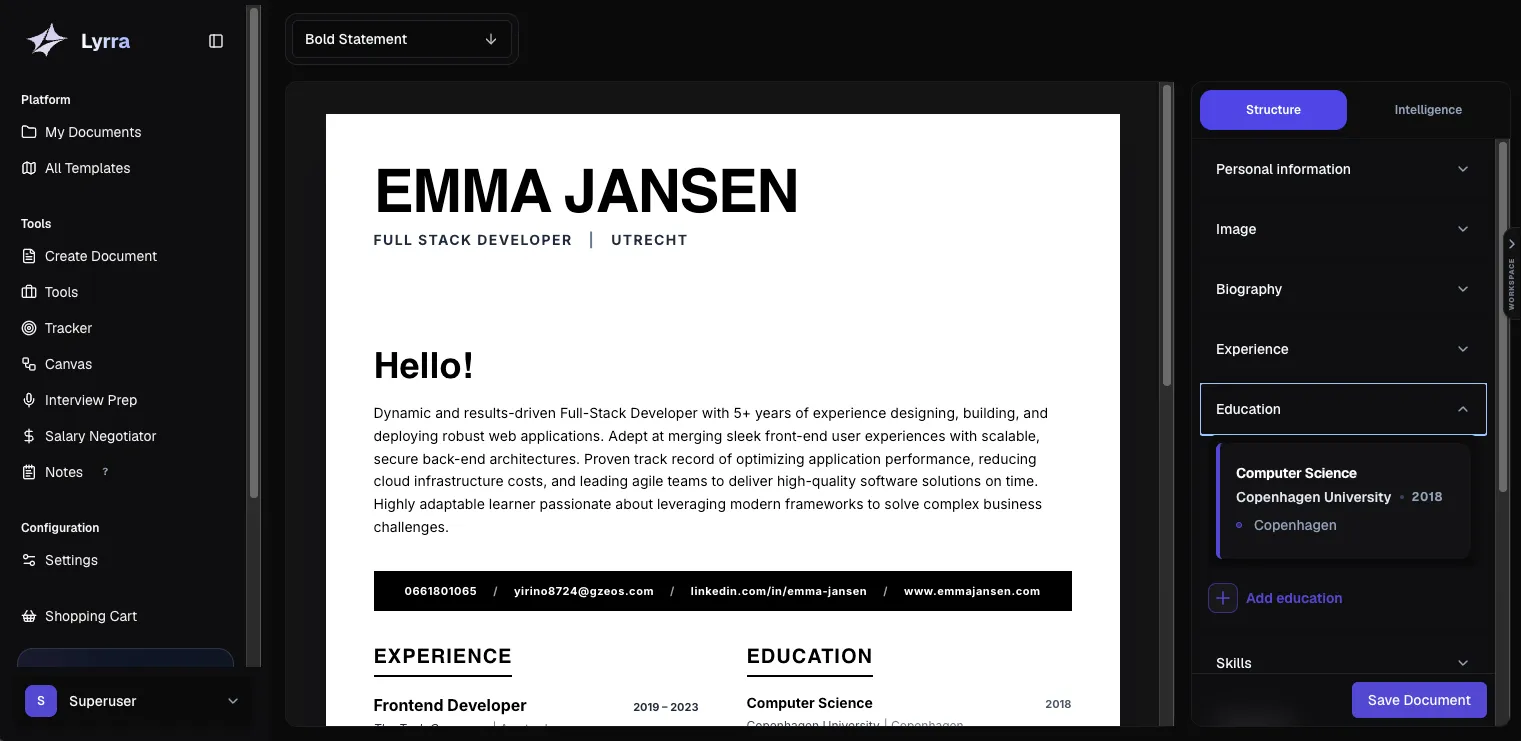
Tailor with the job description as context
Add a target role and job description when you want more specific analysis or a rewritten alternative. Lyrra can compare the document with that context, but it should not copy requirements that you cannot support. Relevant wording is useful only when it accurately describes your experience.
Review suggestions by section
Review area | What to check yourself |
|---|---|
Clarity and evidence | Whether claims are specific, credible, and supported. |
Role relevance | Whether important experience is easy to find. |
Language and typos | Whether corrections preserve the intended meaning. |
ATS-oriented feedback | Whether the structure and wording remain readable and truthful. |
The analysis is guidance, not an ATS prediction. Applicant tracking systems differ, and no score or keyword set can guarantee parsing, ranking, or an interview.
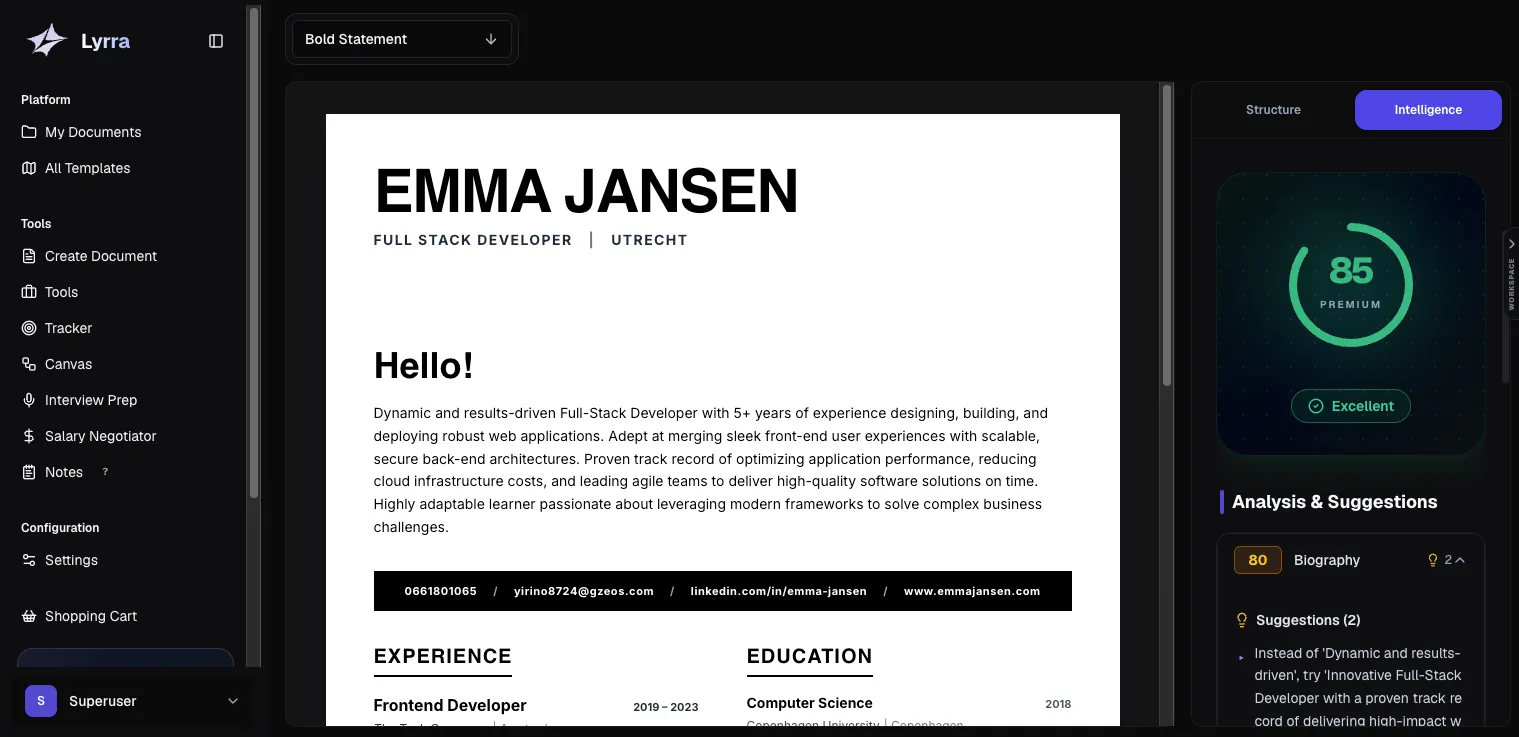
Compare before applying an AI rewrite
Generated alternatives appear beside the original so you can inspect changes section by section. Keep the useful phrasing, reject invented precision, and restore your own voice where the rewrite becomes generic. Nothing should be treated as correct simply because it was generated.
Preserve drafts for different applications
Save documents for later editing and duplicate an existing document when you need a separate role-specific version. This creates a cleaner record than repeatedly overwriting one master resume. Plan and document limits still depend on the account tier.
Connect documents to the rest of the search
Documents can be attached to tracked applications and used as context in supported Lyrra workflows. Cover-letter templates can also use a saved signature. The benefit is continuity: you can identify which document belonged to a role instead of searching through similarly named local files.
Use the builder without outsourcing judgment
Begin with accurate career information.
Choose evidence that matches the role.
Review suggestions rather than accepting them in bulk.
Check names, dates, figures, links, formatting, and employer instructions.
For a complete writing framework, read the practical resume-writing guide. When you are ready to work on the document, open Lyrra’s resume and cover letter builder.